
Klaviyo Email Marketing Flows for Ecommerce in 2026
By QuasarSeed · November 12, 2026 · 13 min read

Last Updated: November 18, 2026
Quick Summary
Klaviyo email marketing flows for ecommerce are automated sequences triggered by customer events or segment conditions, not manual send dates. Build the flows your storefront already tracks reliably, starting with welcome series, abandoned checkout, post-purchase, and win-back, and confirm each event in Klaviyo's activity log before launch.
Key takeaways
- A campaign is a one-time send; a flow triggers per person from an event.
- Build abandoned checkout around the checkout-started event, not cart updates.
- Hold any discount for the final abandonment message, if you use one.
- Map flow overlap before launch so one shopper doesn't get three emails in an afternoon.
- Test each flow with an internal address and confirm mobile rendering before launch.
Which Klaviyo Flows an Ecommerce Store Should Plan First
Klaviyo email marketing flows for ecommerce are automated message sequences that fire from a customer event or a segment condition, not from a manual send date. The events a store already tracks decide which flows it can run reliably.
Start with the flows your storefront already produces clean data for. A welcome series needs only a signup. Abandoned checkout needs a checkout-started event. Post-purchase needs order data. Win-back needs purchase history.
Campaigns and flows are not the same job
A campaign is a one-time send to a chosen audience. A flow is a standing sequence that triggers per person. Campaigns carry launches and promotions. Flows carry the customer journey between them.
That distinction matters for staffing. Campaigns need a calendar and a copywriter. Flows need event tracking, suppression logic, and someone to check the build before it goes live.
Klaviyo Flows Examples Mapped to Real Store Events
Klaviyo flows examples make more sense as an event map than as a list of templates. Each flow below answers one store event with one message sequence.
| Store event | Flow | Typical timing | Data required |
|---|---|---|---|
| Email signup | Welcome series | First message within minutes | Signup source, consent |
| Product viewed, no cart | Browse abandonment | Hours to one day later | Viewed-product event |
| Item added, no checkout | Add-to-cart nudge | A few hours later | Cart event, customer profile |
| Checkout started, not finished | Abandoned checkout | One hour to one day | Checkout event, cart value |
| Order placed | Post-purchase | Immediately after order | Order and shipping data |
| Repeat cycle due | Replenishment reminder | Based on purchase history | Product usage interval |
| No purchase in a long window | Win-back campaign | Weeks to months | Last-order date, engagement |
Welcome series: the first message after signup
The welcome series is the first automated email sequence most stores should build. Send the first message quickly, while the signup is still fresh, then space later messages over the following days.
Keep it short. One message confirms the signup and sets expectations. A second introduces what the store sells. A third can offer an incentive if the store uses one.
Browse abandonment and add-to-cart nudges
Browse abandonment emails respond to a product view without a cart add. Add-to-cart flows respond to an item sitting in the cart with no checkout started. They sit at different points in intent, so treat them separately.
A common mistake is sending both to the same person on the same day. Coordinate them so a shopper who adds to cart moves out of the browse sequence.
Building a Klaviyo Abandoned Checkout Flow That Recovers Carts
A Klaviyo abandoned checkout flow is the highest-intent cart recovery sequence you can run. The shopper reached checkout, which means payment and shipping were on screen.
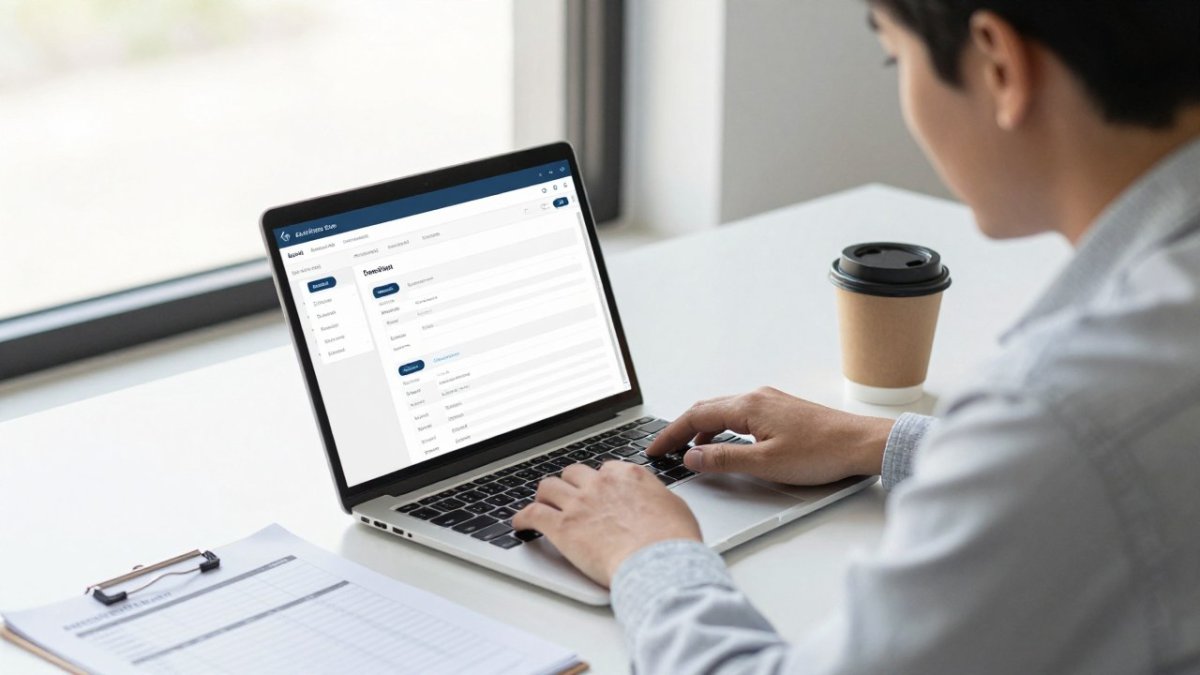
Trigger on the right event
Klaviyo's checkout-started trigger is designed to fire when a shopper reaches the checkout step, not when they add to cart. Confirm the exact trigger behavior in Klaviyo's current documentation.
Watch out: if your storefront doesn't pass a reliable checkout-started event to Klaviyo, the flow will either never fire or fire late. Confirm the event in Klaviyo's activity log for a test profile before you build the sequence.
Set delays that match how people actually buy
A common pattern is a first message roughly an hour after checkout starts, a second message the next day, and a final message two to three days later. The hour delay lets quick recoveries happen on their own, so you're not emailing someone who finished checkout on their phone in the next tab.
The right delays depend on your category. A low-consideration consumable often recovers on the first message. A higher-ticket item with a longer decision cycle may need the second and third messages spaced further apart. Don't copy another store's timing without checking your own order-to-checkout lag.
Write messages that answer the reason for abandonment
Each message should address a different likely reason the shopper stopped:
- First message: a plain reminder with the cart contents and a direct link back to checkout. No discount.
- Second message: reassurance. Shipping terms, return policy, or a support contact for questions.
- Third message: an incentive only if your margin supports it, and only if the first two didn't convert.
Leading with a discount trains shoppers to abandon on purpose. Hold it for the last message, if you use one at all.
Suppression and exit rules
Every abandoned checkout flow needs exit conditions beyond the purchase itself:
- Exit the moment an order is placed, including orders placed through a different session or device.
- Suppress anyone who has unsubscribed or hard-bounced.
- Suppress recent buyers so a customer who just ordered doesn't get a cart reminder for a cart they abandoned before buying.
- Decide whether a shopper who re-enters checkout should restart the flow or stay suppressed for a window. Restarting too aggressively can feel like nagging.
Test before launch
Run a test profile through checkout without completing the order, then confirm the trigger fired, the delay is correct, the cart contents render, and the links return to a working checkout. Check the mobile rendering, since most cart recovery opens happen on a phone. Klaviyo's help center documents current trigger behavior and sending requirements, so verify the event name and any account-level sending settings there before you commit to the build.
What a Klaviyo Post-Purchase Flow Should Cover
A Klaviyo post-purchase flow answers the question every new buyer has: what happens now? The first message confirms the order and sets delivery expectations.
Split the sequence by product where it helps. A consumable needs usage guidance. A durable good needs care instructions.
Watch out: don't put a review request in the same message as the shipping confirmation. Give the product time to arrive and get used first.
Using Klaviyo Flows Templates Without Copying Them Blindly
Klaviyo flows templates are starting points, and treating them as finished work is where builds go wrong. A template gives you structure and timing defaults. It does not know your products, your margins, or your customers.
Adapt every template on these points:
- Timing: match delays to how fast your buyers actually decide.
- Content: replace generic copy with product-specific detail.
- Incentives: remove discount language unless the margin supports it.
- Suppression: confirm the template's exit rules match your other flows.
The best Klaviyo flows templates save setup time, not thinking time. Review each message as if a customer will read it cold, because they will.
Deliverability, Consent and Suppression Rules Before Any Flow Goes Live
Deliverability, consent and suppression are the checks that decide whether a flow helps or hurts your sender reputation. Get them wrong and the messages either don't arrive or arrive for the wrong people.
Consent comes first. Only send marketing email to people who agreed to receive it, and record where and when they agreed. The FTC guidance on CAN-SPAM compliance sets the baseline rules for commercial email, including opt-out handling.
Suppression is the other half. Every flow needs exit conditions:
- Buyers exit the abandoned checkout flow the moment they order.
- Active customers exit win-back sequences.
- Unsubscribes and hard bounces stay suppressed everywhere.
- Recent buyers don't re-enter a welcome series.
Your signup forms and popups are where consent gets captured, so review the storefront capture points before you build. Our website and storefront services cover form placement and capture design when the site itself is the weak link.
Branching Logic, Flow Overlap and a Measurement Framework That Holds Up
Branching logic and flow overlap are what separate a clean build from a messy one. A conditional split sends different messages based on what the customer did or bought. Overlap is what happens when two flows target the same person at once. Neither is covered well in most flow roundups, and both decide whether your sequences feel coordinated or chaotic.
Where branching actually earns its keep
A conditional split is worth building when the message should change based on something Klaviyo already knows about the person. Common splits:
- Purchase history: a first-time buyer gets onboarding content; a repeat buyer gets cross-sell or loyalty messaging.
- Product category: a consumable gets usage and replenishment guidance; a durable good gets care instructions.
- Discount use: a shopper who used a code gets a different follow-up than one who paid full price, so you don't train the full-price buyer to wait for a sale.
- Engagement: a profile that has opened nothing in a set window can be routed to a shorter, lower-frequency path instead of the full sequence.
Don't branch for its own sake. Every split adds build time and a place for the logic to go wrong. Add a split only when the message would genuinely differ.
Map overlap before launch
The same shopper can sit in several flows at once.
Build a simple overlap matrix before launch. List each flow down one axis and each other flow across the other, then decide for every pair which flow wins and which one skips the person.
Implement the priority with flow filters, not with hope. A flow filter that excludes profiles who are in a higher-priority flow, or who purchased within a recent window, keeps the sequences from colliding.
What attributed revenue does and doesn't prove
Klaviyo reports attributed revenue, which credits a flow when a recipient opens or clicks and then buys within the attribution window. That number is useful for comparing flows against each other.
Read attributed revenue alongside:
- Click-through rate and open rate for message health
- Conversion rate by flow step, to see where people drop out
- Revenue per recipient, to compare flows of different sizes
- Repeat purchase rate over time, to see whether post-purchase and win-back are doing their job
If you want to estimate incremental lift, hold out a small segment from a flow and compare purchase rates between the group that received it and the group that didn't.
Test one variable at a time
Run A/B tests on subject lines, timing, or offers, but change one thing per test. Testing a new subject line and a new delay together tells you nothing about which one moved the result. Keep a simple log of what you tested, when, and what happened, so the next build starts from evidence instead of memory.
Planning Your Klaviyo Flow Build with QuasarSeed
Planning a flow build starts with a written event map, not a template gallery.
Here is the checklist we would use to scope a build:
- Confirm which store events fire reliably today
- List consent sources and signup capture points
- Rank flows by data readiness and revenue intent
- Write suppression and exit rules per flow
- Assign a human approver for copy and offers
- Test each flow with an internal address before launch
- Set a review date for timing and content
Klaviyo's own documentation is the authority on trigger behavior, sending requirements and attribution, so check it before you commit to a sequence design. Klaviyo's guide to flow triggers and filters covers the current feature set.
QuasarSeed offers Klaviyo lifecycle messaging, segmentation and commerce-event integration as part of its automation work. You can see the approach on the lead systems and automation page if you want a partner for the build. When you're ready to scope it, start a project and tell us what you need.
Most stores don't need twelve flows. They need four built correctly, with clean events and honest suppression.
Frequently Asked Questions
What is the difference between a Klaviyo campaign and a flow?
A campaign is a one-time send you schedule to a segment, such as a sale announcement or a newsletter. A flow is an automated sequence that fires from a trigger, like a checkout starting or an order being placed, and then follows delays, conditional splits and filters. Campaigns need a person to press send each time. Flows run continuously once published. Most stores need both: campaigns for planned moments, flows for the recurring events that happen every day without anyone watching.
Which events and customer data do you need before building Klaviyo flows?
You need a working ecommerce integration feeding Klaviyo with events such as Started Checkout, Placed Order, Fulfilled Order and Viewed Product, plus profile properties like email consent status and purchase history. Without those events, a trigger has nothing to fire on. Before building, confirm the integration is syncing in real time, check that consent is captured at signup and checkout, and decide which suppression lists apply. If your storefront does not pass the right events, fix that first. Storefront work often sits upstream of any flow build.
How should an ecommerce business plan an abandoned checkout flow?
Start with the trigger: Started Checkout, with a flow filter that excludes anyone who completes the order. Add a short delay, then a first reminder that names the product and links back to the cart. Follow with one or two more messages spaced further apart, and stop the sequence on purchase. Decide upfront whether you offer an incentive and at which message, because discounting in the first email trains customers to abandon on purpose. Test timing and copy on a small segment before widening the flow.
How do you prevent customers from getting duplicate or irrelevant flow emails?
Map every flow against the others before launch and look for shared triggers. A new subscriber who buys immediately can land in both a welcome series and a post-purchase flow on the same day. Use flow filters and conditional splits to exclude customers who already received a related message, and set suppression rules so transactional and service emails are never blocked by marketing sends. A simple overlap matrix, with flows down one side and customer states across the top, catches most collisions before they reach an inbox.