
Software that helps an accounting team move client work forward
We built an accounting practice's operating software: client stages and tasks, saved assessments, review by source account, statement conversion into accounting files and automated follow-up. Public planning tools serve visitors on the practice's website.
Client work spread across too many places
The practice's problem was fragmented work. Client context, tasks, accounting questions and follow-up lived in separate places.
We brought client lifecycle records, tasks, saved assessments and accounting review into a shared operating view, and built the public website and planning tools beside it.
- Industry
- Accounting practice
A working view of what needs attention
The private workspace connects each client's stage, tasks and service progress. Staff move from the client list into a client workspace and an oversight view, filtered by period and task.
The design puts attention first, so what has been checked and what needs a next step are the first things in view.
Categorizing from the source account
Watching the accounting work changed what useful categorization meant. Staff needed to identify the source account, understand the transaction and find the supporting statement before choosing a category.
The review workflow therefore centers on account context, source evidence and the exceptions that need attention. The accountant works from saved accounting snapshots scoped to the selected period, with suggestions and history in one place, and a correction applies to that client only.
Turning statements into accounting files
Statement conversion takes image and PDF documents, prepares them to be read and extracts the transactions into CSV and QBO files for the practice's accounting workflow. A CSV file opens as a spreadsheet, and a QBO file is the bank-download format the accounting software imports.
These are files prepared for the practice's QuickBooks workflow. Exports are specific to each account, so prepared transactions stay connected to the statement they came from.
Assessments that bring results into the conversation
Client assessments feed a shared results view and a saved library. The overview puts the result first, and saved versions keep earlier answers available when the practice talks a result through with the client.
Follow-up that moves with the client record
Automation prepares and sends assessment emails, client follow-ups and reach-outs. These messages sit with the client's context and task progress, so the next email reflects where the work stands.
Public tools that explain the decision behind each number
The public planning tools cover pricing, break-even, cash flow, budgeting, employee cost, paychecks and loans. They run in the visitor's browser, and each one is framed around the decision it supports and what its result means.
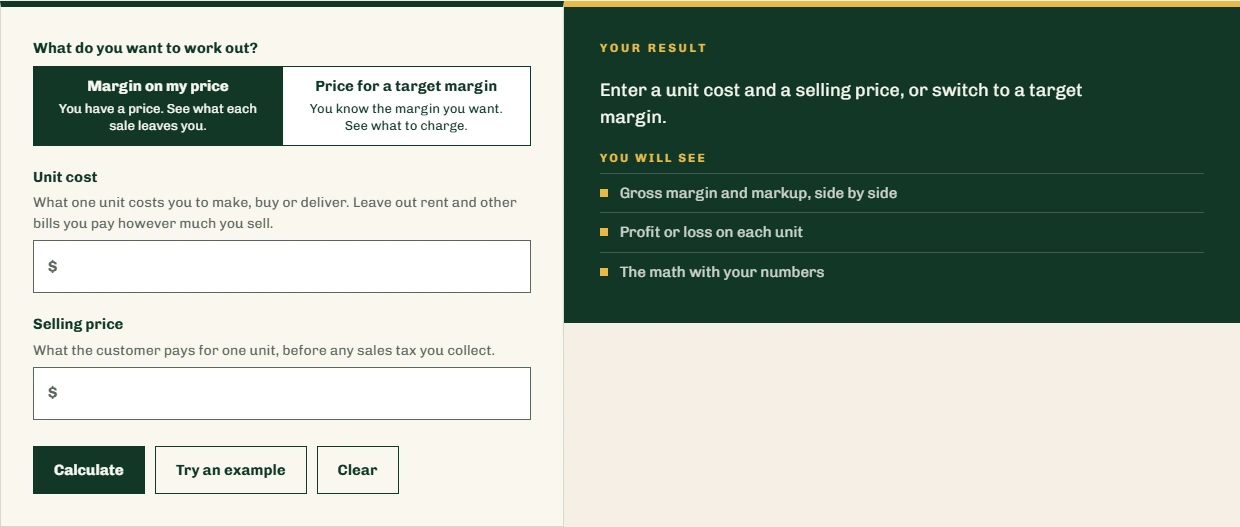
The pricing tool answers two questions: what margin a price leaves, and what price reaches a target margin. Price-to-profit guidance, common questions and links to related tools lead from one question to the next.
Separating who signed in from what they can open
Staff sign in with an email and password plus a required authenticator step. Sign-in and account recovery are handled separately from staff roles and company access, so which client records a person may open is decided by their role and access.
What we built
- A workspace for client stages, tasks and oversight, with period and task filters.
- Accounting review by source account, with source evidence, suggestions, history and exceptions.
- Statement conversion from images and PDFs into account-specific CSV and QBO files.
- Assessments with a result-first overview and a saved library.
- Automated assessment emails, client follow-ups and reach-outs.
- A service website with browser-based planning tools for pricing, break-even, cash flow, budgeting, employee cost, paycheck and loans.
- Staff sign-in with a required authenticator step, kept separate from roles and access.
Related services
Tell us what the business needs next.
Share what your customers and team need to do, and we will suggest a first step that fits.
We reply within one business day.